The Python Library for PDF Processing
Extract, understand, create, edit, render, convert, and automate PDF documents with PyMuPDF. PyMuPDF 2.0 also includes the structure-aware parsing capabilities brought together from PyMuPDF4LLM and Layout.




Structure-aware parsing is now part of PyMuPDF.
PyMuPDF, PyMuPDF4LLM, and Layout are brought together in PyMuPDF 2.0.
Install PyMuPDF and get the consolidated PDF processing capabilities in one package.

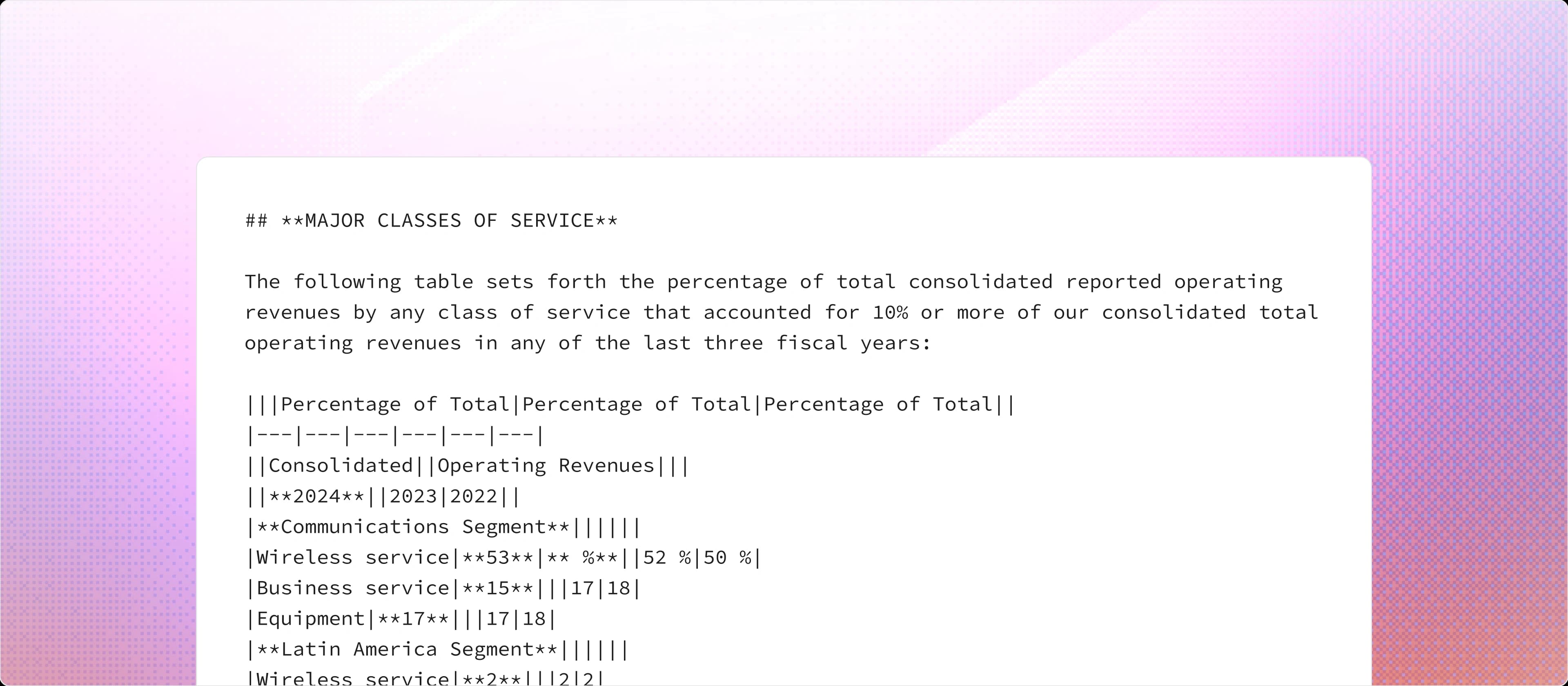
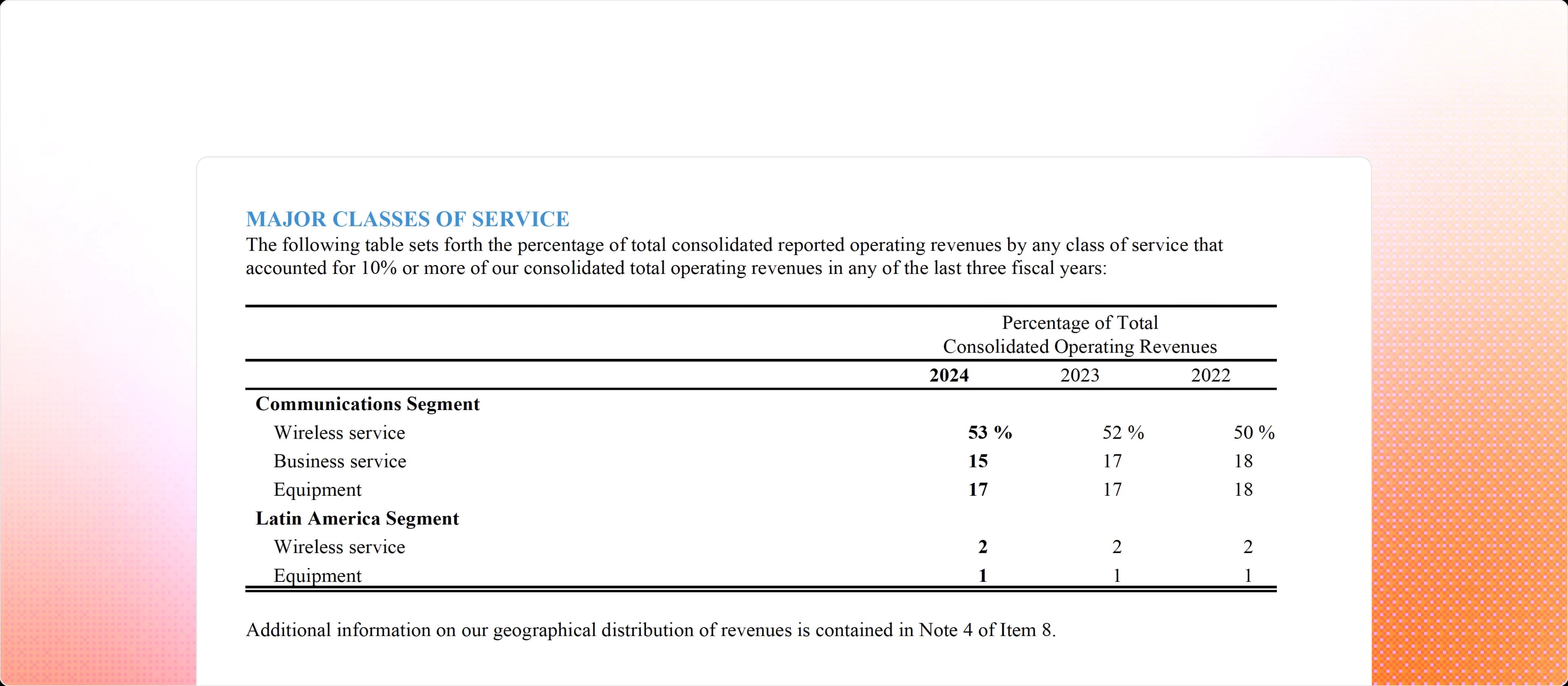
A PDF Is More Than Its Words
When a PDF is reduced to a wall of text, some of that context is lost. PyMuPDF can preserve more of the document structure so downstream applications have better content to work with.

Why PyMuPDF for Extraction
PyMuPDF is built on MuPDF, backed by a decade of PDF engineering. It runs locally and doesn't require a GPU — no cloud API needed just to process a document.
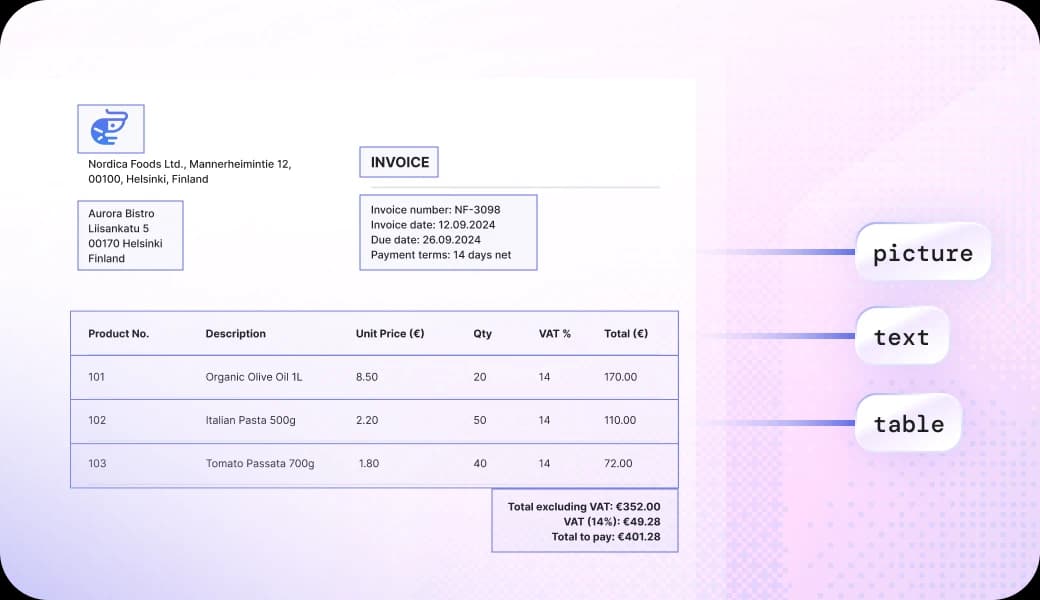
Reading the Document's DNA
We read PDF structure (fonts, spacing, positions, etc) directly, then use a Graph Neural Network to understand the patterns.

CPU Processing, GPU-Level Accuracy
While VLMs burn through expensive compute just to recognize titles and tables, our CPU-based approach handles all the structure extraction.

Built on Decades of PDF Knowledge
Decades of PDF expertise meeting real-world AI demands, engineered for modern workflows.
Need More Than PDFs?
PyMuPDF focuses on PDF. PyMuPDF Office extends document processing to Office and other formats. Use it when your workflow needs to work beyond PDF documents.
PyMuPDF Shrinks What You Already Store
Every document you parse, convert, or archive with PyMuPDF still has to live somewhere. Recompress it losslessly on the same stack, with no migration and no new format, and a few saved KB per file turns into terabytes back once you're operating at scale.
Put Document Content to Work
AI and retrieval
- RAG pipelines
- Document Q&A
- Search
- Knowledge bases
- Information extraction
- AI applications and agents
Automation
- Invoice and report processing
- Form processing
- Data extraction
- Document classification
Document workflows
- PDF generation
- Conversion
- Archiving
- Redaction
- Merging and splitting
Why Teams Choose PyMuPDF
Once you know what you're building, whether RAG pipelines, automation, or document workflows, the next question is what to build it on. PyMuPDF wins on install weight, speed, and ecosystem. See exactly how it stacks up against Docling.
Open Source. Commercial When You Need It
PyMuPDF is open source and available under the AGPL license. If you're building a proprietary application and don't want to use the AGPL terms, a commercial license is available. PyMuPDF Office also adds support for Office and other document formats.
Frequently asked questions
Start Working with Your Documents
Process PDFs with a library built around the document itself: its content, structure, and layout.